How AI Image Generators Work: Diffusion vs Autoregressive
How AI image generators work: diffusion's noise-to-picture steps vs autoregressive token-by-token models, and what each means for your prompts.
Updated Oct 10, 2026 8 min read
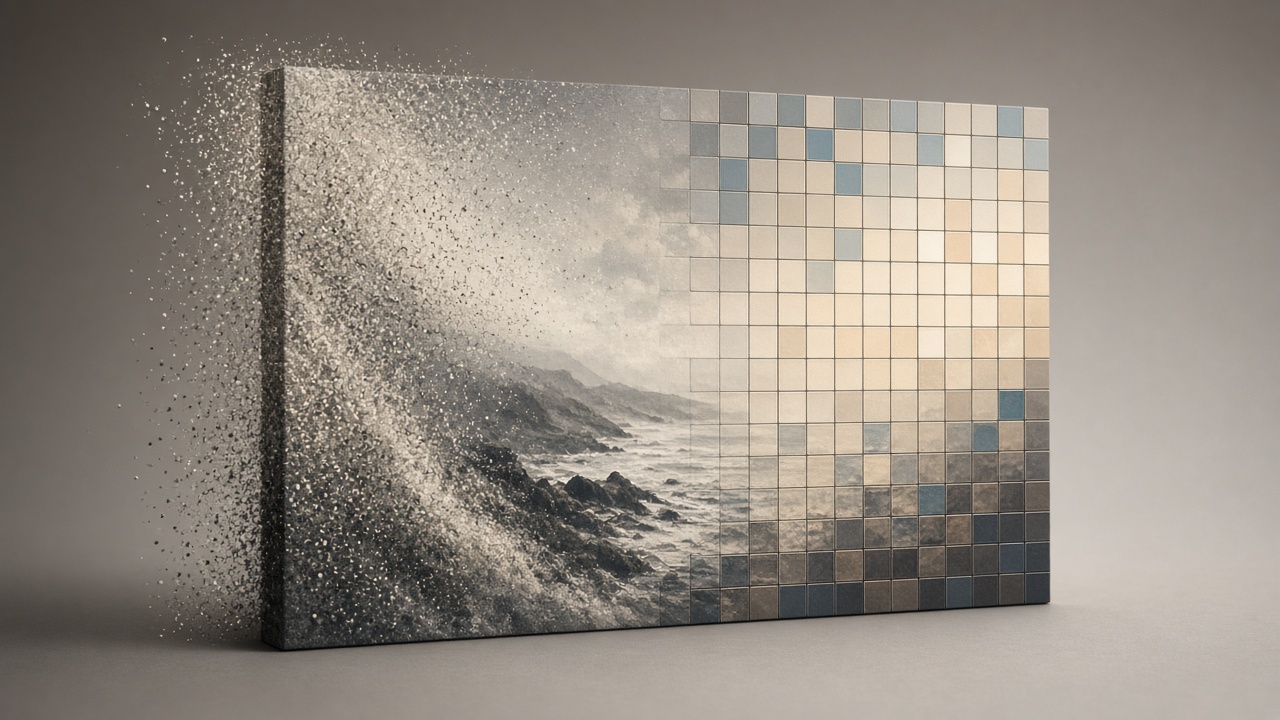
Every AI image generator does one of two things: it cleans up noise until a picture appears, or it builds the picture piece by piece like a sentence. That's the whole split. Once you know which one you're using, the weird behavior — why edits sometimes redraw the whole photo, why "steps" and "resolution" change the price, why some models nail small text and others don't — stops being mysterious.
This guide explains both mechanisms in plain English, then shows exactly which models in Plurel use which approach and what that means for the way you should write a prompt.
The two ways a machine makes a picture
Diffusion: starting from noise and cleaning it up
Most image models you've used — the classic text-to-image kind — are diffusion models. Here's the mechanism without the math.
During training, the model is shown millions of real photos with random static added on top, in increasing amounts, until the photo is pure noise. The model's only job is to learn to reverse one small step of that noising process: given a slightly-too-noisy image, predict a slightly-less-noisy version of it.
To generate a new image, the model starts from a canvas of pure random static and runs that reverse step over and over — typically 20 to 50 times — each time nudging the static a little closer to a coherent picture, guided by your text prompt. By the last pass, the static has resolved into a photo, a painting, whatever you asked for.
This is why diffusion models are good at texture, lighting, and overall composition: every pixel is influenced by every other pixel at every step, so the whole canvas stays coherent. It's also why a small change to the prompt or the random seed can shift the entire image — the model never "wrote down" individual objects, it denoised a whole scene at once.
Autoregressive: building the picture like a sentence
The newer approach treats an image the way a language model treats text: as a sequence of tokens to predict one after another. The model breaks a picture into a grid of small visual chunks, then generates those chunks left to right, top to bottom (or in some similar order), each chunk conditioned on everything generated before it — exactly like predicting the next word in a sentence.
Because the image is built as a sequence inside the same kind of model that handles text, an autoregressive image model can reason about a prompt the way a chat model reasons about a question, and it can treat an edit as "continue this sequence, but change this one part" rather than "redraw everything." That's the mechanical reason edit-focused models tend to leave untouched parts of a photo alone instead of regenerating the whole frame.
Diffusion vs autoregressive, side by side
| Diffusion | Autoregressive / native multimodal | |
|---|---|---|
| How it builds the image | Denoises a full canvas over many steps | Predicts the image as a sequence of tokens, part by part |
| Strongest at | Texture, lighting, painterly composition | Following instructions precisely, small text, targeted edits |
| Typical weak point | Precise small text, surgical edits | Can be slower per step; quality varies with context length |
| Cost driver | Number of denoising steps and final resolution | Length of the token sequence (roughly, image size/detail) |
Most of today's leading consumer models are diffusion-based or diffusion-hybrid. Google's Gemini image family — the model behind Nano Banana 2 — is the clearest mainstream example of the native, sequence-based approach, built into the same system that handles Gemini's text and reasoning.
Why Nano Banana 2 edits so well
Google's own rollout notes describe Nano Banana 2 (Gemini 3.1 Flash Image) as bringing "the high-speed intelligence of Gemini Flash to visual generation," which is why it can make rapid edits and iterate on an image across a conversation rather than regenerating from scratch each time, according to Google's own launch post. Google says the model can keep track of up to five characters and render up to fourteen tracked objects in a single composition, per reporting at the time of launch — a level of object-level memory that is much easier to pull off when the model is reasoning over a scene the way a language model reasons over a paragraph, rather than denoising the whole frame as one undifferentiated block of pixels.
The model shipped supporting resolutions "ranging from 512px to 4K, in different aspect ratios," as TechCrunch reported on launch day, and every image it produces carries a SynthID watermark interoperable with C2PA Content Credentials. Google's own Workspace rollout notes describe the model replacing the earlier Nano Banana Pro across Workspace's Fast, Thinking and Pro modes, continuing a lineage that started with the original Nano Banana (Gemini 2.5 Flash Image) and Nano Banana Pro (Gemini 3 Pro Image), as documented. That lineage — three releases in roughly eighteen months, each one faster or more capable at editing — is a useful signal: the companies racing hardest on image models right now are racing on edit quality and instruction-following, not just raw aesthetics.
This matters for your workflow. If you're generating one clean image from scratch, a diffusion model is often enough. If you're going to iterate — "same scene but at night," "put a hat on the dog," "make the sign say OPEN" — a model built for that kind of sequential editing will save you time and credits, because you're not re-rolling the whole image to change one detail.
What "steps" and "resolution" actually mean for price
In a diffusion model, more denoising steps generally means a cleaner, more detailed result, up to a point of diminishing returns — and more steps means more compute, which is why "quality" and "fast" modes of the same model differ in price. Resolution works similarly: a 4K image has roughly four times the pixels of a 1K image, and the model has to resolve noise (or predict tokens) across all of them, so 4K costs more compute than a quick draft.
This is exactly why Plurel's own image models are priced the way they are: a fast, cheap model like Plurel Lite at 0.5 credits is built for quick iteration at lower detail, while Plurel Pro at 1.5 credits and premium models like Nano Banana 2 at 4 credits or GPT Image 2.5 at 3.5 credits spend more compute per image for sharper detail, better instruction-following, and — for GPT Image 2.5 specifically — stronger results on edits and reference images.
The practical rule: match the model to the job, not the job to whatever model you already have open. A quick mood-board sketch doesn't need a 4-credit model; a product photo that has to match an exact reference does.
What this means for your prompts
- For diffusion models (Plurel Lite, Plurel Pro, Seedream 5, Qwen Image 3): describe the whole scene — lighting, camera angle, mood, materials — in one pass, since the model resolves everything together. Don't expect a tiny follow-up tweak to leave 95% of the image untouched; treat each generation as a fresh roll, and use the composer's follow-up to iterate toward what you want.
- For edit-first, sequence-style models (Nano Banana 2, GPT Image 2.5): be specific about the one thing you want changed and name what should stay the same. These models are built to treat an instruction as "edit this," not "paint something new."
- For dense text or small legible labels in 12 languages, a model built for layout precision like Qwen Image 3 Pro at 2.5 credits will generally hold up better than a general-purpose diffusion model, because getting tiny text right is closer to the instruction-following strength of sequence-based generation than to diffusion's strength in texture and light.
Do it in Plurel
- Open plurel.tech and sign in free with Google — no card needed.
- Click Image in the row under the composer, or open a model directly: Nano Banana 2 (4 credits, best for edits and photorealism), Plurel Pro (1.5 credits, high-quality 4K diffusion), or Plurel Lite (0.5 credits, fast drafts).
- Type your prompt. For a first pass, describe the full scene. For an edit, just say what should change — "same photo, make it night" or "put a red scarf on her" — the chat keeps editing what it just made.
- Check the credit cost shown before you confirm, then generate.
- If you need the result sharper afterward, run it through Upscale (1 credit) to push it to 4K without re-rolling the whole image.
Troubleshooting and tips
If a diffusion model keeps changing things you didn't ask about, that's expected behavior, not a bug — every pixel in a diffusion pass is coupled to every other pixel. Switch to an edit-oriented model like Nano Banana 2 or GPT Image 2.5 for surgical changes instead of re-prompting the same diffusion model over and over.
If small text or logos come out garbled, that's usually a diffusion model struggling with fine detail at the token level it never explicitly modeled. Try Qwen Image 3 or GPT Image 2.5, both of which are built with instruction-following and text rendering as a priority.
If a result looks washed out or low-detail, you're likely on a fast/cheap tier. Bump up to a higher-priced model in the same family, or run it through Upscale afterward rather than regenerating at a higher tier every time.
For more on keeping one face or character steady across a set of images — a job that leans hard on the editing side of this split — see the guide on consistent character prompts. If you're choosing between today's top picture models generally, the best AI image generator comparison lines them up side by side, and the Nano Banana 2 prompts guide has copy-paste starting points. For pushing a finished image to full resolution, see how to upscale an image to 4K.
Once you know whether you're denoising a canvas or extending a sequence, you'll stop fighting the model and start picking the right one for the job.
Questions people ask
- What is the difference between diffusion and autoregressive image generation?
- Diffusion models start from random noise and clean up the whole canvas over many steps, while autoregressive (token-based) models build the image piece by piece in sequence, the way a language model predicts words. That difference is why diffusion models are strong on texture and light while sequence-based models tend to follow instructions and handle edits more precisely.
- Why does Nano Banana 2 edit photos so well?
- Nano Banana 2 (Gemini 3.1 Flash Image) is built as part of Google's Gemini system, which lets it treat an edit instruction as a targeted change rather than redrawing the whole scene; Google has said it can track up to five characters and fourteen objects in one composition.
- What do 'steps' mean in an AI image generator?
- Steps are the number of times a diffusion model runs its noise-removal pass before landing on a final image; more steps generally mean more detail but also more compute, which is part of why higher-quality modes cost more credits.
- Does higher resolution always mean a better image?
- Higher resolution means more pixels for the model to resolve, which costs more compute and credits, but it does not fix a weak prompt or a model that is the wrong fit for the job — matching the model to the task matters more than maxing out resolution.
- Which Plurel model should I use for small text or logos in an image?
- Models built for instruction-following and layout precision, like Qwen Image 3 Pro or GPT Image 2.5, tend to render small legible text more reliably than general-purpose diffusion models.
Sources
- Google launches Nano Banana 2 model with faster image generation
- Nano Banana 2: Combining Pro capabilities with lightning-fast speed
- Nano banana model: Nano Banana 2 powers Gemini image engine
- Google Workspace Updates: Introducing Nano Banana 2 in the Gemini app
- Gemini (language model) — Nano Banana history
Keep going
Best AI Image Generator in 2026: 5 Models Compared
The best AI image generator in 2026 depends on the job. Compare Nano Banana 2, Seedream 5, Grok Imagine 2, GPT Image 2.5 and Qwen Image 3 Pro on cost and use.
Updated Sep 23, 2026
Negative Prompt Guide: What to Leave Out of AI Images
What a negative prompt is, which AI image models still honor one, and the exact wording that avoids blurry hands, watermarks, and extra limbs.
Updated Oct 12, 2026
AI Product Photography: Phone Photo to Store-Ready Shot
Learn AI product photography step by step: shoot on your phone, clean the background, generate a styled scene, and export a store-ready image or clip.
Updated Sep 26, 2026
How AI Upscaling Works: What It Can't Add to a Photo
How AI upscaling works: it invents plausible detail, not recovers lost pixels. When to upscale before or after editing, and how to do it in Plurel.
Updated Oct 14, 2026