Multi-Shot AI Video: How Kling O3 Keeps a Scene Together
Multi-shot AI video explained: what it means, how Kling O3 locks character and setting across cuts, and how to write a shot list that works.
Updated Oct 8, 2026 6 min read
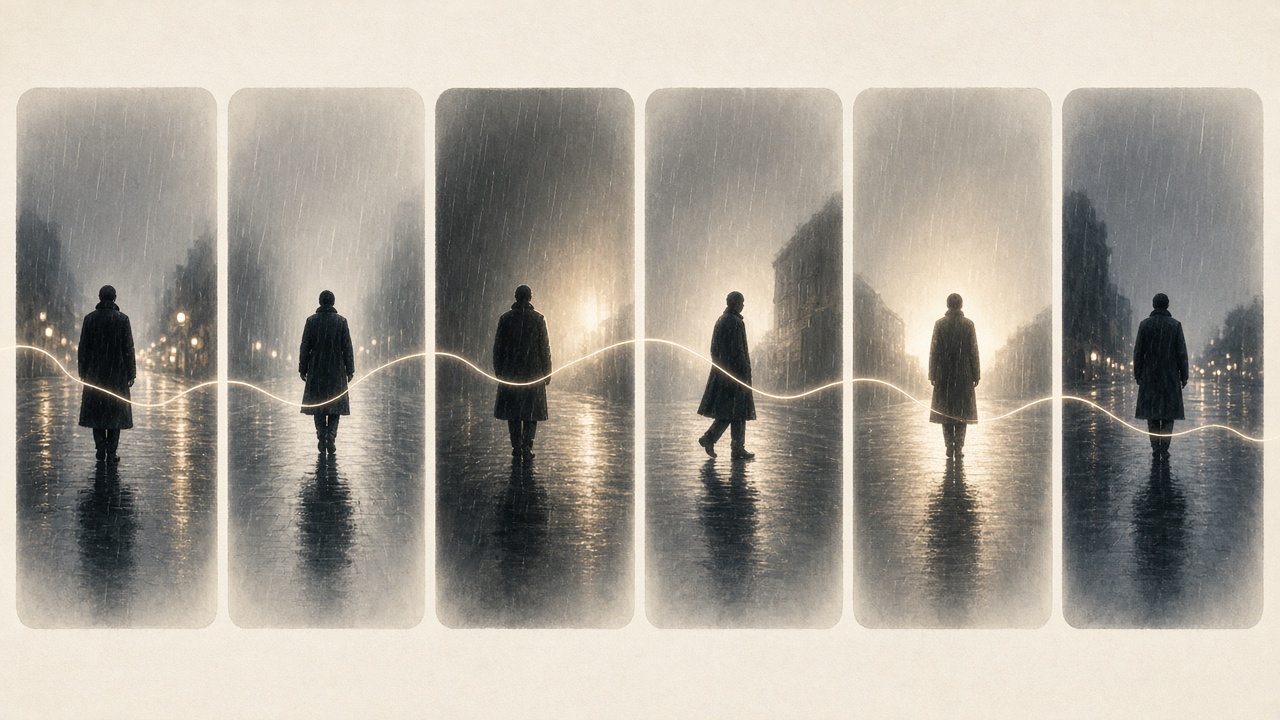
A multi-shot AI video is one generation that contains several distinct camera cuts — a wide shot, then a close-up, then a reverse angle — instead of one continuous take. The model has to keep the same character, outfit, room and lighting across every cut, which is the hard part. Kling O3 is currently the sharpest tool in Plurel for this, because it builds the shot list into the generation itself instead of stitching separate clips together afterward.
What "multi-shot" actually means
Most AI video tools generate one shot: one camera, one continuous take, usually 5 to 15 seconds. If you want a second angle, you start a new generation from scratch, and the model has no memory of what the character looked like a moment ago — the eyes drift, the jacket changes color, the room gets slightly different furniture.
Multi-shot generation treats several cuts as one request instead. You describe shot 1, shot 2, shot 3 together, and the model renders all of them in one pass, carrying the character, setting and lighting forward from cut to cut. A single-shot clip needs one strong description, while a multi-shot sequence needs to start with a plan, since every shot has to agree about who's in frame, where in frame they are and what the surrounding scene looks like.
Kling O3 is built around exactly this problem. It's Kuaishou's O3 ("Omni") generation of Kling, and it was released as part of the Kling AI 3.0 model series on 4 February 2026. It supports up to six shots, each with its own prompt and duration, with total clip lengths of up to 15 seconds, enabling true storyboard-first creation that was previously impossible in AI video generation.
How the model holds a scene together
The mechanism behind this is what Kuaishou calls visual chain-of-thought reasoning, or vCoT. In plain terms: before it renders a single frame, the model plans the scene like a director blocking a set. Visual Chain-of-Thought reasoning means the model analyses and plans a scene before generating it, breaking down the prompt into its component elements, planning camera movements, evaluating lighting consistency, and modeling spatial relationships before producing the video. This reasoning is what gives the system scene coherence, camera logic, and object consistency across shots.
That planning step is also what lets the model treat a reference as a locked identity rather than a loose suggestion. Kling O3 can accept a reference video as an input and use it to extract a character's visual appearance, movement style, vocal characteristics, and speech rhythm. So instead of re-describing the character in every shot and hoping the wording matches exactly, you give the model one clean reference once, and it preserves that subject's exact appearance, including facial features, clothing, logos, and on-screen text, across shots and scene transitions when a reference image or video is provided.
This matters because character drift is the most common failure in AI video generally. One plain description of the problem: you generate shot 1 and the face, jacket and lighting are right, then shot 2 arrives and the eyes have changed, the jacket is different, and the character looks years older. A locked reference plus pre-generation planning is specifically meant to stop that drift from shot to shot.
What has to stay steady across cuts
Four things need to hold for a multi-shot sequence to read as one scene rather than four unrelated clips:
- The character — same face, same outfit, same proportions.
- The location — the environment should remain recognizable across cuts.
- The light — the direction, color, and mood of the light should stay consistent.
- The action — an action started in one shot should connect naturally to the next.
Kling O3 handles the first two well once you supply a reference image or clip. The third and fourth come down to how you write the shot list — the part you actually control.
How to write a shot list that works
A multi-shot prompt isn't one long sentence, and it isn't six unrelated prompts either. It sits in between: one short statement of what stays constant, then one entry per shot describing what changes.
For each shot, write down:
- Shot number and duration (for example, "Shot 1, 4s").
- Framing — wide, medium, close-up, over-the-shoulder.
- Camera move — static, slow push-in, pan, handheld.
- Character action — what they do, not just where they stand.
- What stays the same — restate the character, outfit and location in short form, even if a reference image is already doing most of the work, so there's no ambiguity between cuts.
A minimal three-shot example:
Shot 1 (4s, wide, static): A woman in a red coat stands at a rain-streaked
bus stop at night, neon signs reflected on the wet pavement.
Shot 2 (4s, medium, slow push-in): Same woman, same red coat, same bus
stop. She checks her phone, her expression tightens.
Shot 3 (5s, close-up, static): Same woman. Rain hits her face as she
looks up and smiles. Native audio: distant traffic, soft rain.
Each later shot repeats "same woman, same red coat, same bus stop" even though the reference image handles most of the consistency work — the repetition costs nothing in the prompt and removes any ambiguity for the model about who and where this is.
Do it in Plurel
- Open Kling O3 directly, or from the chat, click Video under the composer and pick Kling O3 from the model list.
- Upload a reference image, or a short 3–8 second clip, of your character. This is what the model uses to lock appearance, and voice if you upload video.
- Write your shot list in the prompt box using the numbered format above — one line per shot, each naming the duration, framing, camera move and action.
- Check the credit cost shown before you generate. Kling O3 starts at 20 credits from, scaling with total length and resolution.
- If one shot needs a tweak, use a follow-up in the same chat — "make shot 2 a slower push-in" edits what was just made instead of starting the whole sequence over.
If you want native audio across shots — dialogue, ambient sound, music cued to a cut — mention it per shot in the prompt, since Kling O3 generates video and audio together rather than needing separate post-production.
Tips and troubleshooting
Drift between shots is almost always a reference problem, not a prompt problem. If shot 3 doesn't look like shot 1, check the reference image first — a blurry, heavily cropped, or poorly lit reference gives the model less to lock onto, no matter how carefully the prompt is written.
Keep each shot's action simple. A shot that tries to cram two actions into a 4-second cut ("she turns, laughs, then runs") gives the model competing instructions and tends to break action continuity even with a locked character reference.
If you only need two or three shots and want a cheaper way to iterate on wording before committing, draft with Seedance 2.0 first, then move the finished shot list to Kling O3 for the full multi-shot pass. For how Kling's own family compares on storyboarding versus speed, see Kling 3.0 vs Kling O3 vs Kling 3.0 Turbo Compared. For why continuity breaks even with a good reference — hands, text, physics — Why AI Video Looks Wrong covers the common failure modes. And if you're deciding between Kling O3 and Seedance for a specific project, Kling 3.0 vs Seedance 2.5: Which Makes the Better Clip? compares them directly. For prompt structure that applies to any single shot — camera, motion, light, duration — AI Video Prompt Tips is a good companion piece.
Multi-shot video turns one generation into a small scene instead of a single clip — lock the character with a reference, write the shot list like a director would, and let Kling O3 handle the continuity between cuts.
Questions people ask
- What does multi-shot mean in AI video?
- It means one generation produces several camera cuts — like a wide shot, a close-up, and a reverse angle — with the same character, setting, and lighting carried across all of them, instead of each cut being a separate, disconnected clip.
- How many shots can Kling O3 generate in one go?
- Kling O3 supports up to six distinct shots in a single generation, with a total combined length of up to 15 seconds.
- Do I need a reference image for multi-shot consistency?
- It helps a lot. Uploading a reference image or short video of your character lets Kling O3 lock in their appearance (and voice, from video) and carry it across every shot, rather than relying on wording alone.
- What is vCoT reasoning in Kling O3?
- Visual Chain-of-Thought is a planning step the model runs before rendering, where it works out camera movement, lighting, and spatial layout for the scene, which is part of why the shots hold together.
- Why do my AI video shots not match each other?
- Mismatched shots are almost always a reference problem rather than a prompt problem — a blurry, cropped, or poorly lit reference image gives the model less to lock onto across cuts.
- How much does a multi-shot clip cost in Plurel?
- Kling O3 starts at 20 credits from, with the final cost shown before you generate, scaling with total length and resolution.
Sources
- kling video o3 — MindStudio
- Kling O3: unified AI video with 4K and voice cloning — Morphic
- Kling O3: Unified Multimodal AI Video Generator — Vidofy
- Multi-shot AI video generator: how to plan and prompt one — Runway
- How to Create Multi-Shot AI Videos — Astorie
- How to Keep Characters Consistent Across Multiple AI Video Shots — The Right GPT
Keep going
What a Credit Costs and Why: AI Video Pricing Explained
AI video pricing explained: why resolution, length and audio change the cost, and how Plurel's credit math works before you click generate.
Updated Oct 7, 2026
Higgsfield Alternative: One Credit Balance for Every Model
Looking for a Higgsfield alternative? See what Higgsfield's presets and pricing actually offer, then compare it with Plurel's one balance for every model.
Updated Nov 10, 2026

AI Product Video Prompts: Hooks, Motion, 9:16 Framing
AI product video prompts that convert: hooks, motion, backgrounds, and text-safe 9:16 framing, with 10 copy-paste prompts by product type.
Updated Oct 8, 2026

How Much Does AI Video Cost? Credits Explained
See the real AI video cost: per-clip prices in credits across 15 models, what 60 credits buys, and packs vs plans.
Updated Oct 4, 2026