AI Product Video Prompts: Hooks, Motion, 9:16 Framing
AI product video prompts that convert: hooks, motion, backgrounds, and text-safe 9:16 framing, with 10 copy-paste prompts by product type.
Updated Oct 8, 2026 9 min read
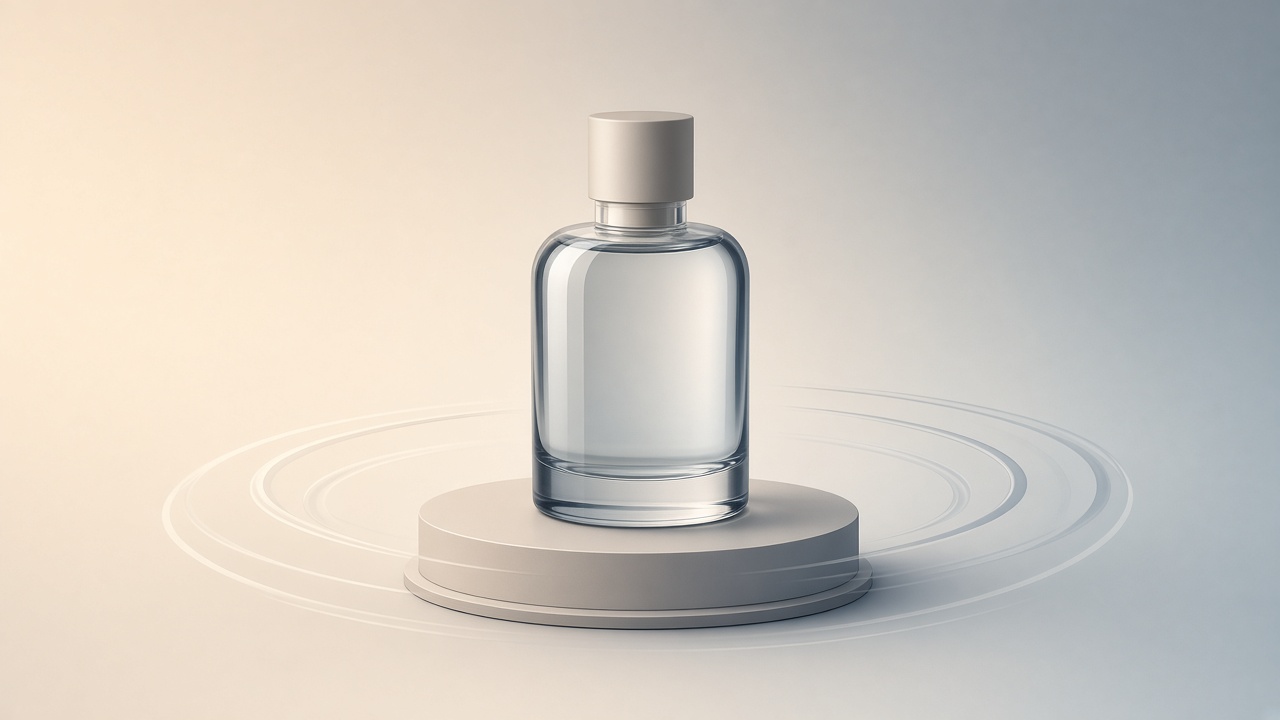
If you've typed "ai product video prompts" into Google, you're probably wondering why your clip looks like a generic stock ad instead of something that stops a scroll. The fix isn't a magic phrase — it's structure: a hook, clear motion for the product, a background that doesn't fight for attention, and framing that leaves room for captions. Below is that structure, ten prompts to copy straight into a video tool, and the exact clicks to run them in Plurel.
Why most product video prompts fail
A prompt like "a bottle of perfume spinning, cinematic" gives the model almost nothing to work with. It doesn't say where the camera sits, how long the shot holds, what the background is, or what happens in the first second — which is the only second that decides whether anyone keeps watching. A product video prompt is really a shot list compressed into one paragraph.
Every working prompt answers the same five questions in order:
- Hook — what happens in the first 0.5–1 second that's visually different from a still photo (a drop of water, a flash of light, a hand entering frame).
- Subject — the exact product, material, color, and any text/logo that must stay legible.
- Motion — camera move (push in, orbit, static) and product move (rotate, open, pour).
- Background — plain studio, lifestyle setting, or gradient, and whether it should stay still or move.
- Framing and duration — aspect ratio, how long, and where text/captions will sit.
Leave any of these out and the model fills the gap with something generic. Spell them out and you get a shot that looks directed.
Text-safe framing for 9:16
Vertical ads on TikTok, Reels and Shorts all cover part of the frame with the same kind of UI: a caption block low on screen, profile and engagement icons on the right edge, and sometimes a top bar. If your product name or price sits in those zones, it gets covered.
The practical rule: keep the product and any on-screen text inside the middle of the frame and build in margin at the top and bottom rather than filling edge-to-edge. In the prompt itself, say so directly — "product centered in frame, clear margin above and below for captions, nothing important within the outer edges." Models that take an image reference (see below) respect this much better than pure text prompts, because the framing is already baked into the photo you feed them.
Which model to use for which product
You don't need to memorize every option — just match the product's priority (consistency, price, sound, speed) to a model.
| Priority | Model | Price | Why |
|---|---|---|---|
| Tightest product/label consistency | Seedance 2.5 | 30 credits from | Strongest reference control: characters, products and styles stay consistent across the clip |
| Cheapest with native sound | MiniMax H3 | 12 credits from | 2K video with native stereo sound from a prompt or a photo |
| Lowest cost to test a prompt | Seedance 2.0 Mini | 5 credits from | Text, photo, clip or audio in; fast enough to iterate on a hook before spending more |
| High-quality studio shot, no sound needed | Veo 3.1 Fast | 20 credits from | Fast high-quality video with realistic motion |
| Product used in a scene (car, kitchen, hand) | Wan 3.0 | 17.5 credits from | Reference images, clips and audio; edits footage in place |
| Multi-shot ad with a presenter line | Kling O3 | 20 credits from | Multi-shot storyboards with native audio and consistent characters across every cut |
If you're unsure, start with the cheapest option that has the feature you need, confirm the hook and framing work, then re-run the same prompt on a higher-tier model for the final export.
Do it in Plurel
- Open plurel.tech and sign in with Google — free, no card.
- No product photo yet? Click Image, pick GPT Image 2.5 or Nano Banana 2 (3.5–4 credits), and prompt a clean studio shot on a plain background, or run Remove BG (0.5 credits) on an existing photo.
- Click Video under the composer, or open a model directly — e.g. Seedance 2.5 for the most consistent product reference.
- Upload the product photo as the reference image, set aspect ratio to 9:16, paste one of the prompts below, and check the credit cost shown before confirming.
- Generate. If the hook or framing is off, don't start over — type a follow-up like "make the product enter half a second later" and the chat edits the same clip.
- Need more length? Open Extend on the finished clip instead of regenerating from scratch.
- To have a model plan the whole sequence first, open Claude Opus 5.5 or GPT-6 Astra in chat, describe the product and platform, and approve the plan and cost before it generates anything.
Ten copy-paste prompts by product type
Each prompt is written for a 9:16 vertical ad with a built-in hook and safe framing. Swap in your product's real color, material and logo text.
Skincare serum bottle — run on MiniMax H3 (12 credits from), upload the bottle photo as reference.
A glass serum dropper bottle on a wet white marble surface, 9:16 vertical. Opens with a single water droplet falling onto the marble in slow motion, then the bottle slides into frame from the left and settles center-frame. Soft rotating studio light catches the glass. Camera holds static after the slide, product centered with clear empty margin top and bottom for captions. Background is a pale gradient, slightly out of focus. 6 seconds.
Sneakers / shoes — run on Seedance 2.5 (30 credits from) for label and stitching consistency.
A single sneaker on a dark reflective floor, 9:16 vertical. First half-second: a spark of light flashes and the shoe appears mid-air before landing in frame. Camera orbits slowly around the shoe at ankle height, showing the sole and side panel clearly, logo always facing camera. Background is pure black with a soft rim light outlining the shoe. Keep the shoe within the center 70% of frame, leaving top and bottom clear. 8 seconds.
Coffee or beverage can — run on Veo 3.1 Fast (20 credits from).
An aluminum beverage can on ice in a lightbox, 9:16 vertical. Opens with a burst of condensation droplets forming on the can surface in close-up, then camera pulls back to reveal the full can standing upright. Steam or cold mist drifts upward on one side. Static camera, can centered, generous blank space above and below for text overlay. Clean light-blue gradient background. 6 seconds.
Electronics / earbuds — run on Kling 3.0 Turbo (20 credits from).
Wireless earbuds and their case on a brushed metal surface, 9:16 vertical. Opens with the case lid flipping open and a soft light pulse from inside. Camera pushes in slowly as one earbud lifts out of the case and rotates to show its shape. Background is a dark charcoal gradient with a thin reflective line beneath the product. Leave the top 15% and bottom 20% of frame empty for captions and a follow button. 7 seconds.
Jewelry — run on Wan 3.0 (17.5 credits from).
A gold pendant necklace on black velvet, 9:16 vertical. Opens on an extreme macro of the pendant catching a single beam of light, then camera pulls back smoothly to show the full necklace laid out. A slow 180-degree turn on a small turntable reveals the chain detail. Soft specular highlights, no other objects in frame. Product stays centered with clear margin at top and bottom. 8 seconds.
Apparel / t-shirt — run on Seedance 2.0 (12.5 credits from).
A folded t-shirt on a wooden table, 9:16 vertical. Opens with the shirt unfolding itself in one fluid motion to hang fully open, fabric settling with a slight sway. Camera holds a static mid-shot, shirt centered, print facing camera and fully legible. Warm neutral studio background, soft shadow beneath the fabric. Keep edges of the frame empty of text or logo. 6 seconds.
Supplement jar — run on Seedance 2.0 Mini (5 credits from) for a cheap first pass.
A supplement jar on a light stone surface, 9:16 vertical. Opens with a few capsules falling past camera in slow motion before the jar rises into frame from below. Camera settles into a static centered shot. Soft daylight-style lighting from the upper left. Plain cream background, no clutter. Leave clear space above and below the jar for a headline and caption. 6 seconds.
Candle — run on Grok Imagine Video 1.5 (18 credits from), animating a photo with sound.
A lit candle in a glass jar on a dark wood shelf, 9:16 vertical. Opens on the flame flickering in close-up with the sound of a soft crackle, then camera pulls back to reveal the full jar and its label. Warm amber light, soft background bokeh from a nearby window. Camera stays mostly static with only a gentle handheld sway. Product centered, label facing camera and legible. 8 seconds.
Car accessory (phone mount) — run on Gemini Omni 1.1 Flash (24.5 credits from) for first-to-last-frame control.
A phone mount attached to a car dashboard, 9:16 vertical. First frame: an empty dashboard. Last frame: the mount is installed with a phone docked in it showing a map screen, morning light coming through the windshield. Camera is a static dashboard-level shot throughout. Keep the mount and phone within the center of frame, dashboard trim at the very edges only. 6 seconds.
Perfume bottle — run on Kling O3 (20 credits from) for a two-shot sequence.
Shot one: a perfume bottle on a mirrored surface, camera pushes in as the cap lifts off and a faint mist rises. Shot two, same bottle, same lighting: camera orbits slowly around the full bottle against a soft gradient background, label facing camera and legible throughout both shots. 9:16 vertical, product centered in both shots with clear top and bottom margin. 10 seconds total.
Mug / home goods — run on MiniMax H3 (12 credits from).
A ceramic mug on a kitchen counter, 9:16 vertical. Opens with steam curling up from the mug in close-up, then camera pulls back to a static centered shot of the full mug with the counter and a blurred window behind it. Morning light from the left. No other props in frame. Keep the mug within the middle two-thirds of the frame, clear margin at the very top and bottom. 6 seconds.
Troubleshooting
If the product's label or logo warps, the model is likely generating the product from scratch instead of reading your reference photo — check the upload, and use a model noted above for reference control, like Seedance 2.5 or Wan 3.0. If the hook feels slow, move the action word earlier in the sentence ("opens with," "first half-second") instead of burying it mid-paragraph. If captions get covered on export, don't re-render — ask for a follow-up like "same clip, move the product up and keep the bottom quarter empty," since Plurel edits what was just made.
For picking between presenter-style options, see Kling 3.0 vs Kling O3 vs Kling 3.0 Turbo Compared. For the full ad assembly beyond one hero shot, AI Video Ad Generator: TikTok/Reels Ad in 10 Minutes and AI Product Video: Amazon and Shopify, Start to Finish both walk through it end to end. If you're starting from a phone photo, AI Product Photography: Phone Photo to Store-Ready Shot gets it clean before you animate it, and How Much Does AI Video Cost? Credits Explained breaks down why the same prompt costs different amounts on different models.
A good product video prompt reads like a one-paragraph shot list, not a mood board — write it that way and the model has nowhere left to guess.
Questions people ask
- What's the best AI model for a product video?
- It depends on your priority: Seedance 2.5 gives the strongest product and label consistency, MiniMax H3 is the cheapest option with native sound, and Veo 3.1 Fast gives a high-quality studio look without sound.
- How do I keep product text readable in a 9:16 video?
- Keep the product and any on-screen text centered with margin at the top and bottom of the frame, and say so directly in the prompt, since vertical platforms cover the edges with captions and UI icons.
- Can I animate my own product photo instead of writing a full scene from scratch?
- Yes — upload the photo as a reference image in the Video tool or use Animate, and the model builds motion around your actual product instead of generating one from text alone.
- How much does an AI product video cost in credits?
- It ranges from about 5 credits on Seedance 2.0 Mini for a quick test to 30 credits on Seedance 2.5 for the strongest reference consistency, depending on the model, length and resolution.
- Can the product video include sound or a voiceover?
- Several models add native audio, including MiniMax H3, Grok Imagine Video 1.5, and Kling 3.0 Turbo, which supports lip-synced dialogue for a presenter-style line.
- How long should a product ad clip be?
- Most of the prompts in this guide run 6–10 seconds, which is enough for one clear hook and reveal without losing the viewer before the product is shown.
Keep going
How Much Does AI Video Cost? Credits Explained
See the real AI video cost: per-clip prices in credits across 15 models, what 60 credits buys, and packs vs plans.
Updated Oct 4, 2026
Higgsfield Alternative: One Credit Balance for Every Model
Looking for a Higgsfield alternative? See what Higgsfield's presets and pricing actually offer, then compare it with Plurel's one balance for every model.
Updated Nov 10, 2026
What a Credit Costs and Why: AI Video Pricing Explained
AI video pricing explained: why resolution, length and audio change the cost, and how Plurel's credit math works before you click generate.
Updated Oct 7, 2026
Best AI Video Generator in 2026: Compared by Cost
The best AI video generator depends on length, sound and budget. Compare Veo 3.1, Kling 3.0, Seedance 2.5, Wan, MiniMax and Grok Imagine by cost per clip.
Updated Sep 22, 2026