25 AI Video Ideas for a Small Business (By Industry)
25 AI video ideas for business: copy-paste prompts for restaurants, salons, realtors and gyms, plus which Plurel tool and model to use for each.
Updated Oct 11, 2026 7 min read
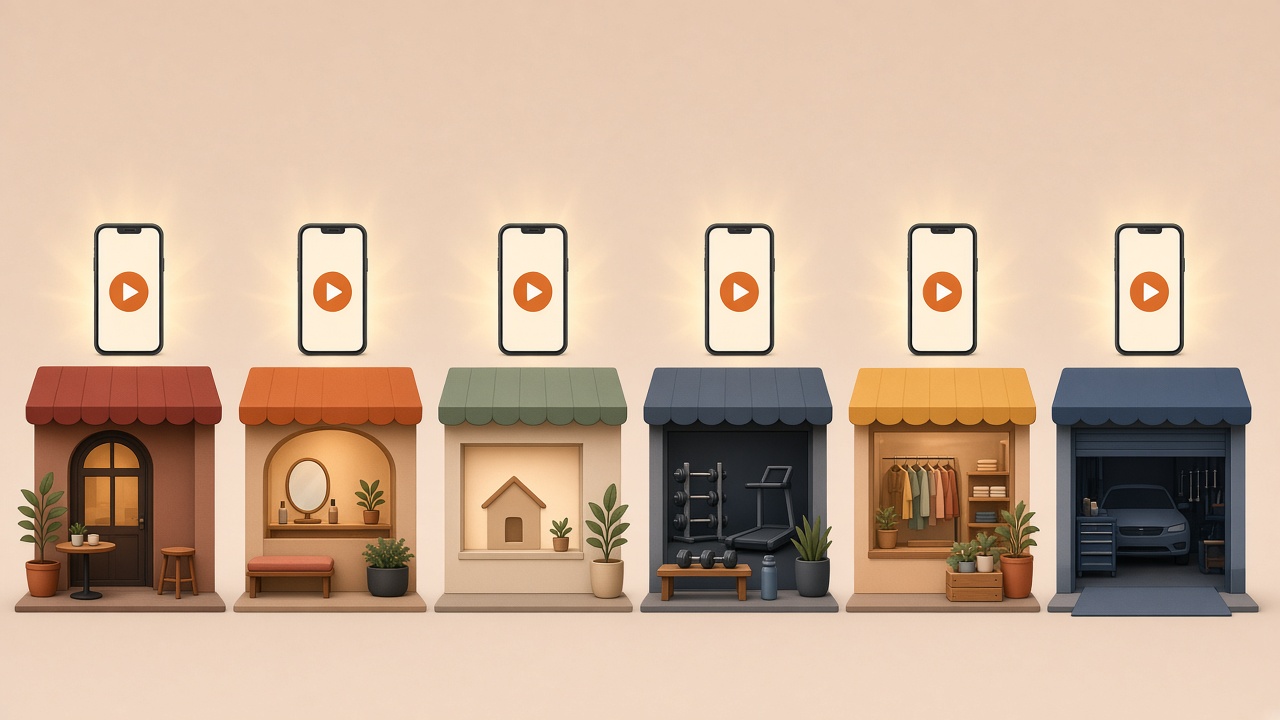
Typing "AI video ideas for business" into Google usually means one thing: you need content this week, you don't have a camera crew, and you want to know what actually works, not a generic list of "make a video!" tips. Below are 25 specific ideas across six common small-business types, each with the exact prompt shape and which model to run it on. Every idea can be made from a phone in a few minutes.
What makes a business AI video actually work
The clips that perform aren't the fanciest ones — they're the ones that look like they belong on the business's own feed: a real product, a real storefront, a real voice. Three things separate a useful AI video from a wasted generation:
- A specific subject, not a vague scene. "A barista steaming milk in a warm café" beats "a coffee shop."
- A short, single action per clip. Most models generate 5–15 seconds at a time; plan the video as several short beats, not one long story.
- The right model for the job — a talking avatar for testimonials, a product-shot model for close-ups, a motion model for b-roll.
Small businesses adopting AI video is no longer early-adopter behavior — roughly half of small businesses have already picked up an AI video tool, and short video is now what most consumers say they'd rather watch than read a product description, according to a 2026 small-business AI video guide noting that "73% of consumers say they prefer to learn about a product or service through short video rather than any other medium."
Quick model picks by job
| Job | Best model in Plurel | Why |
|---|---|---|
| Talking testimonial / explainer from one photo | Avatar tool | Turns one photo + a script into a lip-synced clip |
| Fast social b-roll with sound | Veo 3.1 Fast | 8-second 1080p clips with audio baked in |
| Multi-shot story (intro, demo, close) in one generation | Kling 3.0 | Up to 15 seconds with up to 6 camera cuts and native audio |
| Product or menu photo to animate | Nano Banana 2 (image) + Animate | Photoreal still first, then motion |
| Cheap, fast drafts to test an idea | Seedance 2.0 Mini | Lowest video price in the app, from 5 credits |
| Portrait or product narration with 2K sound | MiniMax H3 | Native stereo audio generated with the picture, not added after |
How to make any of these in Plurel, in general: open plurel.tech, click Video in the row under the composer, pick a model from the list, type the prompt, and approve the credit cost shown before it generates. For a photo-to-video idea, click Animate instead and upload the photo first. Everything below assumes this flow — the only things that change are the model and the prompt.
Restaurant and café
- A dish built in one shot. "Close-up of a burger being assembled, cheese melting, steam rising, warm kitchen light, 4K" — run on Seedream 5 for the still, then Animate to bring it to life (video price from the model chosen).
- The daily special, announced. Use Avatar with a staff photo and a 10-second script: "Today's special is our lemon herb salmon, $18, ask your server." Video price credits.
- Table-to-plate b-roll for Reels. "Hands pouring sauce over pasta on a rustic wood table, slow motion, soft natural light" on Veo 3.1 Fast, 20 credits from.
- A menu flyer that moves. Build the menu board with Flyer (4 credits), then animate the finished design with Slideshow for a looping story post.
- A "behind the counter" clip with sound. "Barista steaming milk and pouring latte art, café ambient noise, warm tones" on MiniMax H3, 12 credits from, for native audio.
Salon, spa and beauty
- Before/after without a second visit. Use Haircut or MakeUp on a client's photo (with permission) to show a style, 4 credits, then turn the result into a short clip with Animate.
- A product close-up for retail shelf items. "Shampoo bottle rotating slowly on a marble surface, soft studio light, water droplets" on Nano Banana 2, 4 credits, then animate.
- A stylist intro video. Avatar: one photo, a 15-second script introducing the stylist and booking link.
- A relaxing spa b-roll loop. "Candlelit spa room, steam rising from hot stones, slow camera pan" on Kling 3.0, 55 credits from, for the longer 15-second cut.
Real estate
- A listing walkthrough from still photos. Upload interior photos to Slideshow with gentle pans and background music — video price credits, no filming day needed.
- An agent intro clip. Avatar from a headshot: "Hi, I'm [name], here's what's new on the market this week."
- A "coming soon" teaser. "Aerial drone shot slowly approaching a suburban house at golden hour" on Veo 3.1 Fast, 20 credits from.
- A staged-room concept before the stager arrives. Use Paint to try different furniture looks on an empty room photo, same price as a picture.
- A multi-room tour in one generation. Kling 3.0 is built for sequencing: it supports up to six distinct shots within a single fifteen-second generation, each with its own duration, shot size, camera perspective and narrative, so one prompt can move from entryway to kitchen to backyard, 55 credits from.
Gym and fitness studio
- A form-demo clip. "A trainer demonstrating a kettlebell swing in a bright gym, clear side angle" on Seedance 2.0 Mini, 5 credits from, for a cheap first draft before committing to a higher model.
- A membership promo with your trainer's voice. Avatar: photo plus script on the new-member offer.
- High-energy b-roll for social ads. "Fast cuts of weights racking, sweat, a runner on a treadmill, gym neon lighting" on Veo 3.1 Fast, 20 credits from.
- A class-schedule flyer turned into a story post. Build with Social Ad (4 credits), then animate the final image.
Retail and e-commerce
- A product hero shot that rotates. "A sneaker rotating 360 degrees on a clean white podium, studio lighting" on Nano Banana 2, then Animate.
- A packaging unboxing clip. "Hands opening a branded box, tissue paper, product reveal, soft overhead light" on MiniMax H3, 12 credits from — a good fit since every Hailuo 03 generation includes native stereo audio by default, with ambient sound, synced dialogue, or score generated alongside the video rather than added in a separate step.
- A background-swapped product shot. Use Remove BG (0.5 credits) on your existing product photo, then Edit to place it in a new scene before animating.
- A size-chart or feature callout video with on-image text. Build the graphic in Qwen Image 3 Pro, 2.5 credits, which handles small legible text well, then turn it into a slideshow.
Local service businesses (plumbers, dentists, auto shops)
- A "meet the owner" trust video. Avatar from a storefront photo: a 15-second script on how long the business has served the area.
- A before/after job photo turned into a clip. Animate a finished-job photo (a repaired car, a cleaned driveway, a dental smile) with Animate, video price credits.
- A quick explainer for a common question. "What to do before we arrive for your appointment" as an Avatar script, or as a flyer-style graphic from Flyer turned into a slideshow for social.
Do it in Plurel: step by step
- Go to plurel.tech and sign in free with Google — no card needed.
- Click Image, Video, Documents or News under the composer, or open a tool link directly, e.g. https://plurel.tech/?model=video-avatar.
- Pick the model from the ideas above (or open it directly with
https://plurel.tech/?model=<id>). - Paste one of the prompts, upload a photo if the idea needs one, and review the credit cost shown before it runs.
- Once you have a clip, use follow-up messages in the same chat to adjust it — "make it nighttime," "add upbeat music," "continue this clip 5 more seconds" — instead of starting over.
- For a batch (a week of posts), repeat with Seedance 2.0 Mini or Plurel Lite images first, since they're the cheapest way to test ten ideas before spending credits on the final version in a premium model.
If a chat model like Claude Opus 5.5 or GPT-6 Astra is open, you can also just describe the business and ask it to draft five video ideas and prompts for you — it will propose the plan and credit cost before making anything.
Tips and troubleshooting
- If the clip looks generic, name the specific object, light, and camera distance instead of describing the whole scene in abstract terms.
- If a face or product drifts between shots, use the same reference photo in each prompt, or make the sequence in one multi-shot generation with Kling 3.0 instead of stitching separate clips — see how Kling O3 keeps a scene together for the same logic applied to a different model.
- If a talking clip needs real customer testimony, record the words yourself and only use the avatar for the face and lip-sync — don't invent quotes.
- If budget is tight, draft every idea on Seedance 2.0 Mini or Plurel Lite images first; only re-run the ones that work on a premium model like Veo 3.1 or Kling 3.0.
- For picking between the two flagship cinematic models, see Kling 3.0 vs Seedance 2.5 and what a credit actually costs before committing a week's content budget.
None of these need a studio, a crew, or a weekend — just a photo, a prompt, and the right model.
Questions people ask
- What is the cheapest way to make AI video ideas for a business?
- Draft ideas on Plurel Lite images or Seedance 2.0 Mini video, which starts from 5 credits, before spending more on a premium model like Veo 3.1 or Kling 3.0.
- Can I turn a product photo into a video instead of filming one?
- Yes — upload the photo to the Animate tool and describe the motion you want; it generates a video clip from that single image.
- Which AI model is best for a business testimonial or talking video?
- The Avatar tool takes one photo and a script and produces a lip-synced talking clip, which is the closest fit for an intro or testimonial-style video.
- How long are the video clips these models make?
- Most run 5 to 15 seconds per generation — Veo 3.1 Fast makes 8-second 1080p clips and Kling 3.0 makes up to 15-second clips with multiple camera cuts in one generation.
- Do I need real footage of my product or storefront?
- It helps — using your own photo as a reference keeps the face, product, or location recognizable, rather than generating a generic stand-in.
- Can AI video include sound for a business ad?
- Yes — models like Veo 3.1, Kling 3.0 and MiniMax H3 generate native audio (ambience, dialogue or stereo sound) in the same pass as the video, so no separate audio step is needed.
Sources
Keep going
AI Product Photography: Phone Photo to Store-Ready Shot
Learn AI product photography step by step: shoot on your phone, clean the background, generate a styled scene, and export a store-ready image or clip.
Updated Sep 26, 2026
How to Make an AI Influencer (and Keep Her Consistent)
Learn how to make an AI influencer with a consistent face across photos and video, then build one step by step in Plurel.
Updated Sep 19, 2026

How Much Does AI Video Cost? Credits Explained
See the real AI video cost: per-clip prices in credits across 15 models, what 60 credits buys, and packs vs plans.
Updated Oct 4, 2026
Higgsfield Alternative: One Credit Balance for Every Model
Looking for a Higgsfield alternative? See what Higgsfield's presets and pricing actually offer, then compare it with Plurel's one balance for every model.
Updated Nov 10, 2026