How to Make a Flyer With AI (Event, Sale, Menu)
Learn how an AI flyer maker builds event, sale, and menu flyers, the right print sizes and resolution, and how to do it in Plurel for 4 credits.
Updated Oct 9, 2026 6 min read
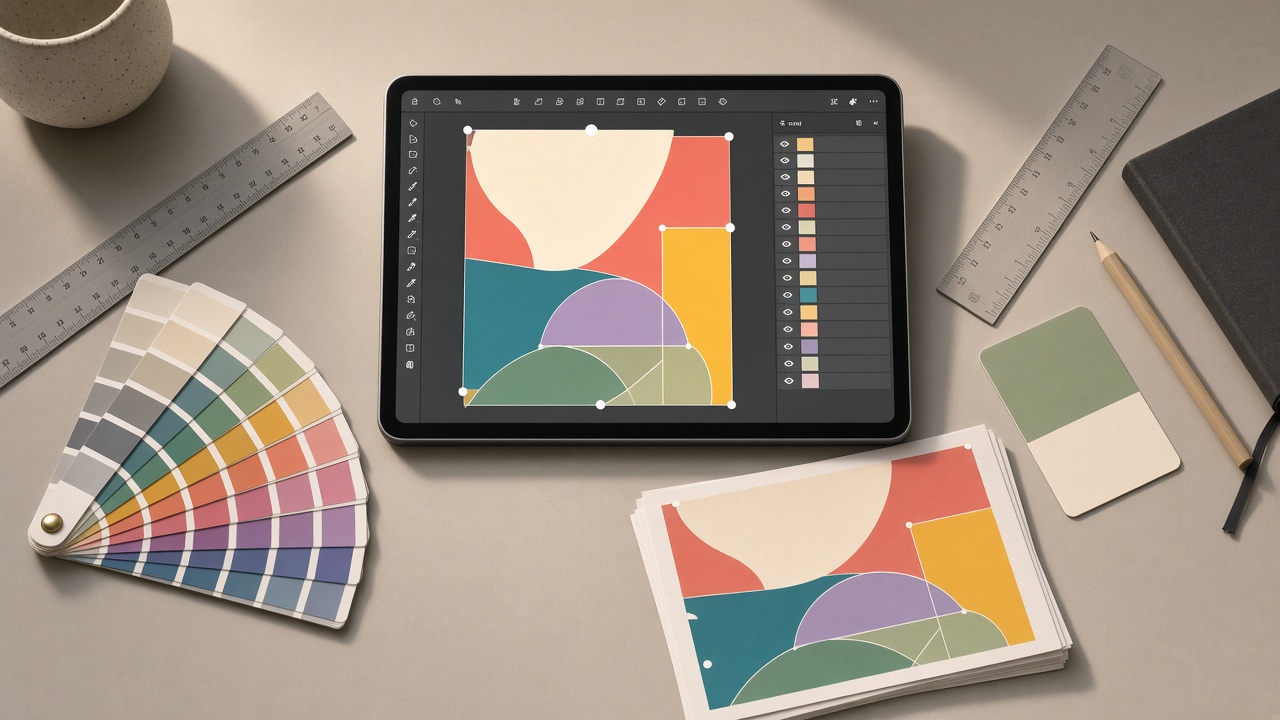
An AI flyer maker writes the layout, picks the colors, places the headline and price, and draws the whole thing from a text description — you don't drag boxes around. The trick isn't the tool, it's giving it the right size, the right amount of text, and the right model for the job: a photo-heavy event flyer needs a different model than a menu with forty tiny prices.
This guide covers how flyers actually get read (so yours doesn't get binned), the print sizes and resolution you need before you start, and the exact steps to make one in Plurel.
What makes a flyer work before you design it
A flyer has about two seconds to earn a second look. That means one headline, one image, one call to action — not five fonts fighting for attention. Before you open any tool, decide:
- The one thing you want the reader to do (buy, RSVP, call, show up).
- The one number that matters (date, price, address) — make it the biggest text after the headline.
- The audience's reading distance: a flyer on a café counter can carry a paragraph; a flyer stapled to a pole from a moving car needs five words, max.
This is true whether a human or an AI model draws it. The model will happily put ten pieces of information on the page if you give it ten pieces of information — it's on you to edit the brief down first.
Pick the size before you generate
Decide the print size first, because resolution and layout both depend on it. Flyers aren't one standard size everywhere: US Letter and A4 are the two defaults, and several smaller formats exist for handouts, inserts, and menus.
| Format | Inches | Pixels at 300 DPI | Typical use |
|---|---|---|---|
| US Letter | 8.5 x 11 | 2550 x 3300 | General US flyers, events |
| A4 | 8.3 x 11.7 | 2480 x 3508 | Menus, catalogs, events (most countries) |
| Half-page | 8.5 x 5.5 | 2550 x 1650 | Event/party promo |
| A5 | 5.8 x 8.3 | 1748 x 2480 | Invitations, promo inserts |
| Postcard | 4 x 6 | 1200 x 1800 | Mailers, quick promos |
The standard U.S. letter flyer size is 8.5 x 11 inches, which comes out to 2550 x 3300 pixels at 300 DPI, and A4 is the standard flyer size in most of the rest of the world at 210 x 297 mm, which runs 2480 x 3508 pixels at 300 DPI.
On resolution: 300 DPI is the standard for print, and a 600 DPI file rarely looks sharper on paper because the eye can't resolve the extra detail at that distance. The simple rule: multiply each side of the print in inches by 300 to get the pixels you need — so an 8.5 x 11 flyer needs 2550 x 3300 pixels minimum before it goes to a printer. If you're only sharing the flyer digitally (social, email, a group chat), you don't need to think about any of this — a normal image works fine on a screen.
Choosing the right model for the flyer type
Not every AI image model handles text and dense layout the same way. Some models spell headlines correctly and keep tiny prices legible; others drift on long strings of text, which matters a lot on a flyer with a date, a time, an address, and a price all at once.
For an event flyer with a photo (concert, party, open house), a photorealistic model like Nano Banana 2 (4 credits) gives you a strong hero image, with the headline and date layered on top.
For a sale flyer with bold price callouts and short punchy copy, GPT Image 2.5 (3.5 credits) or Grok Imagine Image 2 (2 credits) tend to keep short headlines and prices accurate — useful when one wrong digit on "50% OFF" ruins the whole print run. Independent testing found GPT Image 2 wins for text accuracy and instructional value on layouts with ordered labels, which is exactly the kind of structure a sale flyer needs.
For a menu flyer with a long list of dishes and prices, use Qwen Image 3 Pro (2.5 credits). It's built for dense layouts and tiny legible text, which is the hardest thing for most image models to get right once you're past 10–15 lines of copy, and it supports 12 languages if your menu needs more than English.
Do it in Plurel
- Open plurel.tech and sign in with Google — no card needed.
- Go straight to the Flyer tool: plurel.tech/?model=flyer. It costs 4 credits per flyer.
- Type your brief in one paragraph, including the size. For an event flyer:
Event flyer, Letter size 2550x3300px, "Saturday Night Jazz" as the headline, small jazz club scene with warm stage lighting, date "March 14, 8PM", address line at the bottom, dark navy and gold color scheme - For a sale flyer, name the exact numbers so nothing gets rounded or guessed:
Retail sale flyer, A4 size 2480x3508px, bold "50% OFF EVERYTHING" headline, subtext "This weekend only, March 21-23", clean red and white color scheme, store logo placeholder top left, address and hours at the bottom - For a menu flyer, list the actual items and prices so the model lays out real text instead of inventing dish names:
Restaurant menu flyer, A4 size, "Weekend Brunch Menu" headline, items: Eggs Benedict $14, Avocado Toast $11, French Toast $12, Classic Omelette $10, warm cream and olive-green color palette, rustic wood-table texture background - Review the draft. If the layout is right but text is slightly off, use a follow-up in the same chat rather than regenerating from scratch: "fix the spelling of Benedict" or "make the price bigger." This edits the flyer you just made.
- If you need a sharper file for professional printing, run it through Upscale (plurel.tech/?model=upscale, 1 credit) to push it toward 4K before you send it to a print shop.
- Download the final flyer from Document History, or keep it digital and post it straight from the chat.
If your flyer needs a real product photo instead of a generated scene — for a storefront sale, say — shoot the product first and build around it; see AI Product Photography: Phone Photo to Store-Ready Shot for that half of the job.
Troubleshooting and tips
Text comes out garbled or misspelled. Switch models — try GPT Image 2.5 or Qwen Image 3 Pro, both of which handle instructional and text-heavy layouts more reliably than photorealism-first models. Keep the exact words you want in quotation marks in your prompt so the model treats them as literal text, not a suggestion.
The flyer looks great on screen but flat once printed. AI images are generated in RGB; print shops convert to CMYK, and colors — especially bright blues and deep purples — can shift. Preview the file with your printer's proof tool before running a full batch if color accuracy matters.
Too much text crammed in. This is a brief problem, not a tool problem. Cut your prompt down to the one headline, the one number, and the one image idea before you generate again.
Need a different size later. Don't start over — describe the new size in a follow-up ("same design, but as a half-page 2550x1650 flyer") and let the chat adjust the layout.
Want to compare models side by side first. Best AI Image Generator in 2026: 5 Models Compared and Nano Banana 2 Explained: Features, Price, Best Prompts go deeper on strengths if you're choosing between models for a bigger print run.
A flyer is a small, text-heavy image with one job — pick the size first, pick the model for the amount of text you actually have, and let follow-up edits fix the details instead of regenerating from zero.
Questions people ask
- What is an AI flyer maker?
- It's a tool that turns a plain description of your event, sale, or menu into a finished flyer image, handling layout, color, and text placement so you don't need design software.
- What size should a printed flyer be?
- US Letter (8.5 x 11 in) is the standard size in the United States, while A4 (210 x 297 mm) is standard in most other countries; both work for events, sales, and menus.
- What resolution does a flyer need for print?
- Print shops generally want 300 DPI, which works out to 2550 x 3300 pixels for a Letter-size flyer or 2480 x 3508 pixels for A4.
- Can AI get flyer text right without typos?
- Some models are noticeably better at spelling and layout accuracy than others, so picking a text-focused model matters more than the prompt wording alone.
- How much does it cost to make a flyer in Plurel?
- The Flyer tool costs 4 credits per generation, and you can keep editing the same flyer with follow-up messages instead of paying again from scratch.
- Can I edit a flyer after it's generated?
- Yes. In the Plurel chat you can type a follow-up like "make the date bigger" or "change the price to $12" and it edits the flyer you just made instead of starting over.
Sources
Keep going
AI Product Photography: Phone Photo to Store-Ready Shot
Learn AI product photography step by step: shoot on your phone, clean the background, generate a styled scene, and export a store-ready image or clip.
Updated Sep 26, 2026
Best AI Image Generator in 2026: 5 Models Compared
The best AI image generator in 2026 depends on the job. Compare Nano Banana 2, Seedream 5, Grok Imagine 2, GPT Image 2.5 and Qwen Image 3 Pro on cost and use.
Updated Sep 23, 2026
How to Keep the Same Character Across AI Images
Learn how consistent character AI works: reference images, prompt anchors, and editing instead of regenerating. Step-by-step in Plurel.
Updated Sep 27, 2026
How to Make an AI Influencer (and Keep Her Consistent)
Learn how to make an AI influencer with a consistent face across photos and video, then build one step by step in Plurel.
Updated Sep 19, 2026